
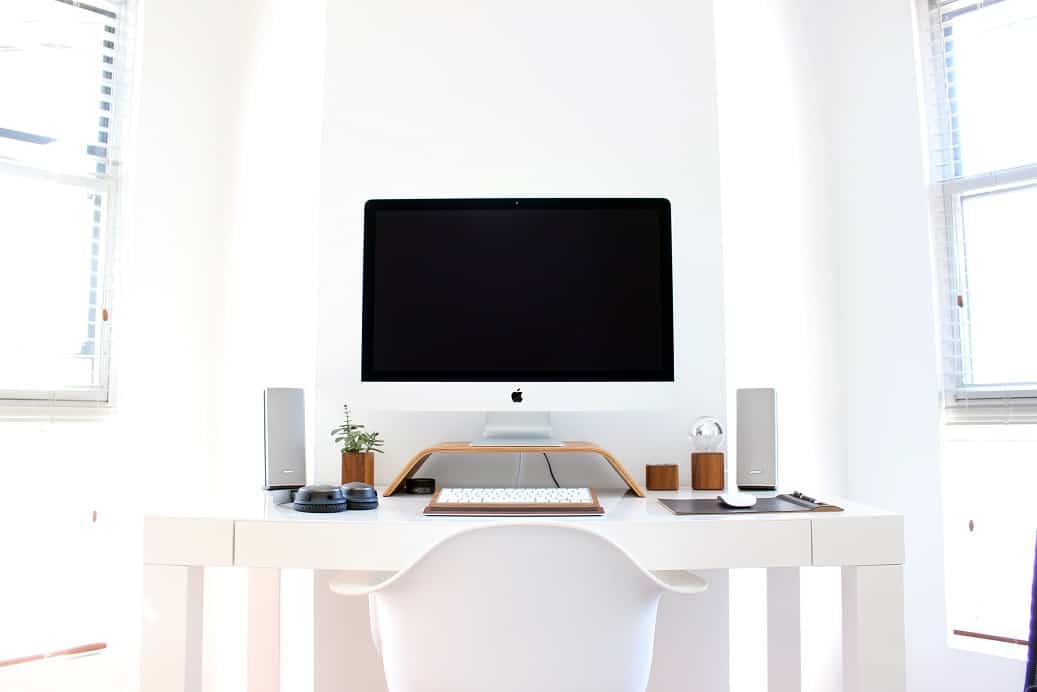
This new article will show you everything you need to know about how to organize your desk at work.
There’s a reason people say, “A cluttered desk reflects a cluttered mind.” While that saying isn’t always true, there’s no denying that a messy workspace can drain your focus, slow you down, and make even simple tasks more frustrating than they need to be. On the other hand, a clean, organized desk makes it easier to think clearly, stay productive, and find exactly what you need when you need it.
The good news? You don’t need an expensive office makeover. A little time, a willingness to let go of unnecessary clutter, and a simple organizational system can completely transform the way you work.
How To Organize Your Desk At Work:
1. Start with a Completely Blank Desk
The easiest way to organize your workspace is to begin with a clean slate. Remove everything from your desktop, and if your desk has drawers, empty those too. Place everything on the floor or a nearby table so you can sort through it without distractions.
Starting from scratch gives you a clear picture of what you actually own and how you want your workspace to function. It’s far more effective than trying to reorganize one item at a time while navigating around existing clutter.
2. Clean Every Surface Before Putting Anything Back
Once your desk is empty, take advantage of the opportunity to give it a proper cleaning. Dust every surface, wipe it down with an all-purpose cleaner, and remove any stains or fingerprints. If you have a wooden desk, polish it and buff out any minor scratches.
Cleaning first means you’re building your new workspace on a fresh foundation—not simply organizing dirt and clutter.
3. Eliminate Anything You Don’t Need
Go through every item you removed and separate everything into two categories: keep and discard. Be honest with yourself. If something hasn’t served a purpose in months, it’s probably time to let it go.
The fewer unnecessary items you keep, the easier your desk will be to maintain.
Many people hold onto objects simply out of habit or sentiment, even when they no longer provide any value. Letting go of unused belongings often creates as much mental clarity as physical space.
And don’t overlook obvious trash—old receipts, empty packaging, broken pens, sticky notes you’ve already dealt with, or dried-out markers. These small items usually account for more clutter than you realize.
4. Replace Outdated Items
Look around your workspace with fresh eyes. Are there old calendars, outdated notes, stacks of answered mail, or decorations that no longer belong there?
Swap outdated items for current ones, archive what you want to keep, and remove anything that no longer serves a purpose.
Sentimental keepsakes are perfectly fine—but your desk shouldn’t become permanent storage for them. Store cherished photos, gifts, or mementos somewhere safe while keeping your workspace focused on productivity.
5. Rethink Your Desk Layout
Instead of placing everything back where it originally sat, experiment with a completely new arrangement.
Maybe moving your monitor, reversing the placement of your accessories, or creating dedicated work zones will make your workflow smoother. Even subtle changes can make your workspace feel fresh again and prevent your environment from becoming visually repetitive.
Interestingly, the ancient Chinese practice of feng shui centers around arranging spaces to encourage balance and positive energy. Whether or not you follow its principles, intentionally redesigning your desk can make your workspace feel more inviting and motivating.
6. Restock Essential Office Supplies
Few things interrupt your workflow faster than discovering you’re out of paper, pens, sticky notes, or staples.
Take inventory of your supplies and replace anything that’s running low. Before heading to the office supply store, make a quick checklist—or simply use your phone—to avoid forgetting the essentials.
Even if your employer provides supplies, having your favorite notebook, pen, or mouse nearby can make your workspace feel more comfortable and personal.
7. Arrange Everything with Efficiency in Mind
Every item on your desk should have a logical home.
Keep your computer or laptop in the primary workspace, place frequently used tools within easy reach, and position reference materials where they’re accessible without cluttering your desk.
The less time you spend searching for things, the more time you spend actually getting work done.
A good rule of thumb? Trust your instincts. If you naturally reach for something in a particular spot, that’s probably where it belongs.
8. Add Personality Without Creating Clutter
An organized desk doesn’t have to feel sterile.
Add a few carefully chosen personal touches that make the space enjoyable to work in. A framed photo, a small plant, a favorite coffee mug, or a decorative object can make your workspace feel welcoming without becoming distracting.
If your office feels bland or impersonal, these subtle additions can significantly improve your mood throughout the workday.
You can also display an inspirational quote or meaningful image to help keep your long-term goals front of mind.
9. Keep Your Most Frequently Used Items Within Reach
Pay attention to the tools you use every day.
Pens, notebooks, chargers, headphones, planners, and communication devices should all be easy to access without forcing you to interrupt your workflow.
Store writing tools together in a pen holder, keep paper clips and staplers near your printer or paperwork area, and avoid scattering commonly used items around your desk.
Reducing the number of times you search for supplies can save surprising amounts of time over the course of a week.
10. Store Frequently Used Extras in Nearby Drawers
Not everything needs to live on your desktop.
Items you use regularly—but not constantly—are perfect candidates for desk drawers. Reserve the upper drawers for larger supplies, chargers, electronics, notebooks, or accessories you reach for throughout the day.
Drawer organizers are especially useful for smaller items. Their divided compartments keep everything visible, organized, and easy to find.
As a simple guideline:
- Keep daily essentials on your desktop.
- Store regularly used supplies in nearby drawers.
- Move rarely used items somewhere outside your immediate workspace.
11. Store Everything Else Somewhere Else
One of the easiest ways to create clutter is by allowing your desk to become a storage area.
Personal belongings, snacks, extra cables, old notebooks, and equipment you rarely use should all have designated storage outside your main workspace.
File important documents inside folders and cabinets, store infrequently used materials in closets or lower drawers, and resist the temptation to leave “temporary” items on your desk—they have a habit of becoming permanent.
Perhaps the most important habit of all is putting things back immediately after using them. Small actions prevent big messes.
12. Use a Letter Tray to Organize Paperwork
Paper clutter can accumulate faster than almost anything else.
A multi-tier letter tray provides a simple system for separating incoming documents, outgoing paperwork, completed tasks, and items that still require attention.
Combined with folders and a filing cabinet, letter trays dramatically reduce paper piles while making important documents much easier to locate.
Creating dedicated trays for categories like “To Do,” “Waiting,” and “Completed” keeps paperwork flowing instead of stacking up.
13. Stay Organized in Shared Workspaces
Working in a shared office, communal desk, or cubicle presents extra challenges—but staying organized is still possible.
Start by clearly defining which areas belong to you and which are shared. Label personal supplies, organize your own paperwork into separate folders, and avoid letting communal items spill into your workspace.
If storage is limited, keep your essentials in a backpack or briefcase so they’re always within reach.
Most importantly, clean and organize your area regularly. Shared workspaces naturally collect clutter faster because multiple people contribute to the mess. A few minutes of maintenance each week can prevent disorder from taking over.
A Practical Summary
A well-organized desk isn’t just about appearances—it helps you work faster, stay focused, reduce stress, and avoid wasting time searching for supplies. The goal is to create a workspace where everything has a purpose and a designated place.
1. Empty Your Desk Completely
Start with a blank slate by removing everything from your desktop and drawers. This makes it easier to evaluate what you actually need instead of organizing around existing clutter.
2. Clean Before You Organize
Dust and wipe down every surface while your desk is empty. A clean workspace creates a fresh start and makes your office feel more inviting.
3. Declutter Ruthlessly
Sort everything into two groups: keep and discard. Throw away broken, outdated, or unnecessary items. The less you own, the easier it is to stay organized.
4. Remove Outdated Items
Replace old calendars, completed paperwork, expired notes, and unnecessary decorations. Keep only items that are useful or genuinely meaningful.
5. Redesign Your Workspace
Don’t automatically return everything to its old location. Rearrange your desk to create a layout that feels more efficient and comfortable for your daily workflow.
6. Restock Essential Supplies
Replace low supplies such as pens, paper, sticky notes, and staples so you’re always prepared to work without interruptions.
7. Give Everything a Home
Assign every item a permanent place. Keep your computer in the center, frequently used tools within arm’s reach, and less important items farther away.
8. Personalize Without Creating Clutter
Add a few meaningful decorations—a small plant, framed photo, or favorite mug—to make your workspace enjoyable while keeping distractions to a minimum.
9. Keep Daily Essentials Nearby
Store the items you use most often where you can reach them instantly. Group similar supplies together, such as pens in a holder and office accessories near your printer.
10. Use Drawers Wisely
Store items you use regularly—but not constantly—in nearby drawers. Drawer organizers help keep small supplies neat and easy to find.
11. Keep Rarely Used Items Elsewhere
Avoid turning your desk into a storage space. Archive paperwork, store personal belongings outside your workspace, and return items to their proper place after using them.
12. Organize Paperwork
Use letter trays, folders, and filing cabinets to separate incoming, outgoing, completed, and pending documents. A simple filing system prevents paper from piling up.
13. Stay Organized in Shared Workspaces
If you share a desk or office, clearly separate your belongings from communal items. Label your supplies, organize your paperwork, and tidy your area regularly to prevent clutter from spreading.
Key Takeaways
- Start with an empty, clean desk.
- Keep only what you truly need.
- Assign every item a permanent location.
- Keep frequently used tools within easy reach.
- Store rarely used items out of sight.
- Use organizers for papers and small supplies.
- Add a few personal touches without overcrowding your workspace.
- Clean and declutter regularly to maintain an efficient, distraction-free environment.
A tidy desk isn’t about perfection—it’s about creating a workspace that helps you focus, work efficiently, and makes it easy to maintain good habits every day.